.png)
Go to the Customer Portal of the Jira Service Management project.
Find the specific request where you want to change notifications.
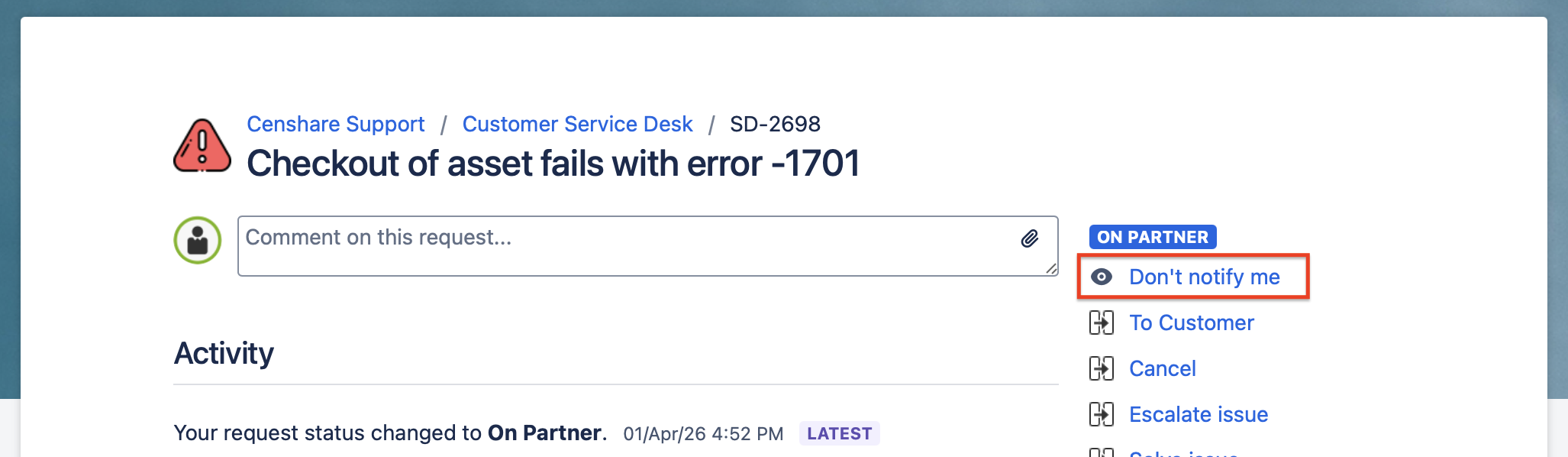
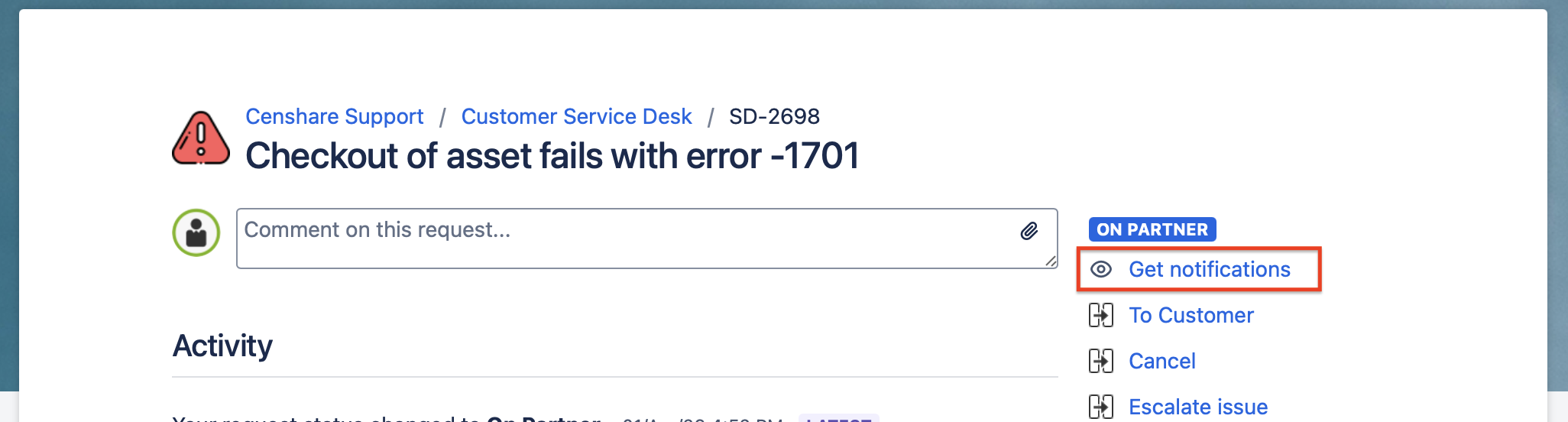
On the request detail page, look for the “Don’t notify me/Get notifications” option.
Disable directly on the request:
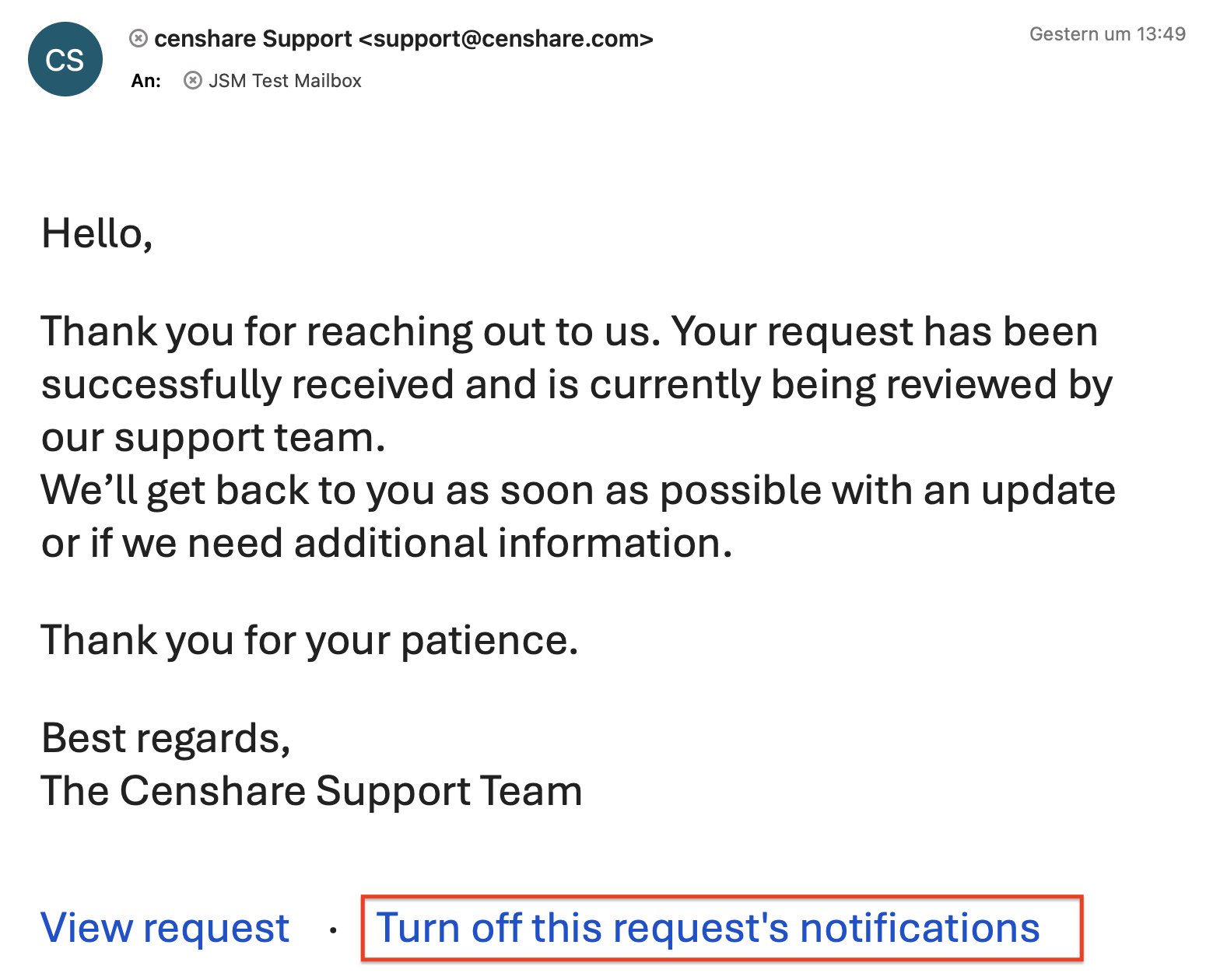
Disable via link in e-Mail:
Enable again directly on the request:
Key Things to Know
-
It is a per-request opt-out, not a global setting.
-
Turning off notifications on one request does not affect other requests.
-
There is no global "re-subscribe" button — it has to be done on a request-by-request basis through the portal
-
I will NOT stop emails sent by Automation rules